
GPT Image 2 Slow? Find Out Where the Request Is Waiting
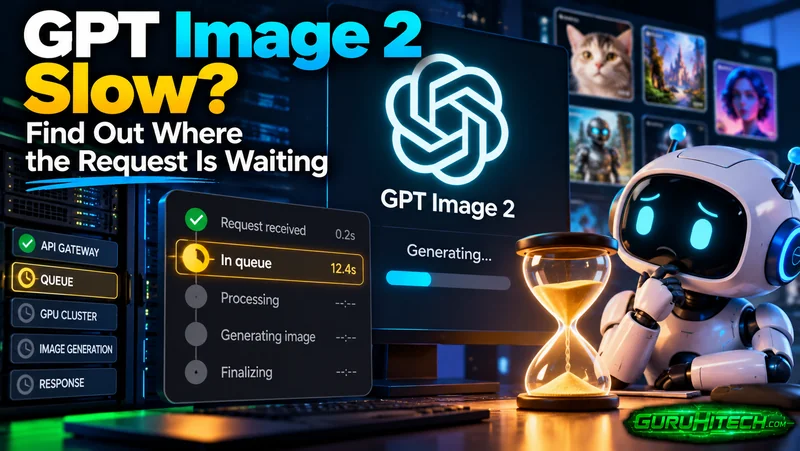
A spinning progress indicator tells you very little. The photo might still be uploading, a service might be holding the job in a queue, or the finished image might be waiting for the page to display it. When GPT Image 2 is slow, the useful first question is where the request has reached.
Start with the application’s job history or status message. Keep the original request open while checking whether it has an identifier and a recorded state. Repeatedly pressing Generate can leave several versions running without explaining what happened to the first one.
Locate the GPT Image 2 delay before retrying
There are several steps between submitting a prompt and seeing an image. With GPT Image 2, the model name identifies only part of that journey. The website or application handles uploads, request submission and display, and may add its own queue. An API integration has a similar journey even when it hides those stages behind one button.
Look first at the upload. If an attachment has not appeared in the prompt, or its upload indicator is still moving, generation may not have begun. A text-only request can help distinguish an attachment problem from a broader service problem. Save the original photo before trying a smaller working copy; reducing its detail may also change the result.
Next, check whether the service acknowledges the job. A visible request identifier or entry in a history panel is useful evidence. Record it with the submission time and the model selected. If there is no acknowledgement, say that when reporting the fault. “The upload finished, but no job appeared” gives support a much narrower problem than “AI is slow.”
A queued state means something different from a running state. Use the service’s own definitions if it publishes them. A percentage indicator alone may not identify either condition, and a frozen percentage is not proof that the underlying process has stopped.
Finally, inspect the result list. If a job is marked complete but the preview is blank, try opening its existing result or download entry. That directs attention to retrieval or display without immediately creating another image. Keep any error message exactly as shown.
Use one small request to learn something specific
Once the first request is accounted for, a small diagnostic test can help determine why GPT Image 2 is slow. Choose a simple subject with no uploaded reference, one requested image, and a fixed size. For example, ask for a plain ceramic bowl on a neutral background. The purpose is to see whether a straightforward image generation request completes through the same service.
OpenAI’s current guidance for GPT Image 2 says square images are typically the fastest to generate. It also lists low, medium, high, and automatic quality settings for this model. If the interface exposes those options, a modest square draft gives you a sensible starting point for testing GPT Image 2 generation speed. However, it does not guarantee a specific completion time.
Write down when you submitted the request and when you could actually open the completed image. If you also see a generation start time, keep that separately. The total waiting time matters to the user, but it does not necessarily measure how long the model spent generating the image.
How to Identify GPT Image 2 Generation Delays
Suppose the simple request completes and the original image edit does not. Compare the inputs: the edit may have several attachments, a larger output, or a more complicated instruction. Restore one of those elements at a time if further testing is worthwhile. Changing the image size, references, and quality together makes it difficult to identify what caused the delay.
If both requests stall at the same stage, inspect the service’s status page and any incident notices from the upstream provider. Match the affected component and time window to your request. An old incident only proves that a problem occurred at that time. Likewise, a green status page does not guarantee that an individual GPT Image 2 request has succeeded.
For an application you maintain, save timestamps around upload, submission, receipt of the result, and display. These observations can help identify GPT Image 2 API delays more effectively than simply increasing the timeout. Do not treat a client timeout as proof that the server cancelled its work; check whatever job or request lookup the integration provides.
Decide whether to wait, retry or report the fault
Retry after establishing that the previous request failed, or after checking the service’s documented recovery procedure. Where the state remains unknown, preserve its identifier and investigate that job first. This is especially useful when the application may continue processing after a browser tab closes.
Let the error guide the next action. Fix the input when an upload is rejected; check retrieval when a completed image will not download. During a service incident, you may simply need to wait. Submitting the same prompt again does little to explain any of these problems.
Changing models is a separate decision. If the image is urgently needed and another tool is available, Nano Banana Pro can be considered for a new attempt. Judge the resulting image against the same brief. A quicker result from another route does not identify the fault in the original route, particularly if its queue and interface differ.
When contacting support, provide the model name, request identifier, submission time with time zone, input type, visible state and exact error. Describe whether a simple request also failed. Avoid attaching private source images unless they are needed and appropriate for that support channel.
When GPT Image 2 is slow, a request identifier and a few recorded observations give you somewhere to start. Keep them until the original job is resolved, even if you have already made the image elsewhere.
Ti potrebbe interessare:
Segui guruhitech su:
- Google News: bit.ly/gurugooglenews
- Telegram: t.me/guruhitech
- Facebook: facebook.com/guruhitechfb
- Instagram: instagram.com/guruhitech_official/
- X (Twitter): x.com/guruhitech1
- Bluesky: bsky.app/profile/guruhitech.bsky.social
- Rumble: rumble.com/user/guruhitech
- VKontakte: vk.com/guruhitech
- MeWe: mewe.com/i/guruhitech
- Skype: live:.cid.d4cf3836b772da8a
- WhatsApp: bit.ly/whatsappguruhitech
Esprimi il tuo parere!
Ti è stato utile questo articolo? Lascia un commento nell’apposita sezione che trovi più in basso e se ti va, iscriviti alla newsletter.
Per qualsiasi domanda, informazione o assistenza nel mondo della tecnologia, puoi inviare una email all’indirizzo [email protected].
Scopri di più da GuruHiTech
Abbonati per ricevere gli ultimi articoli inviati alla tua e-mail.