

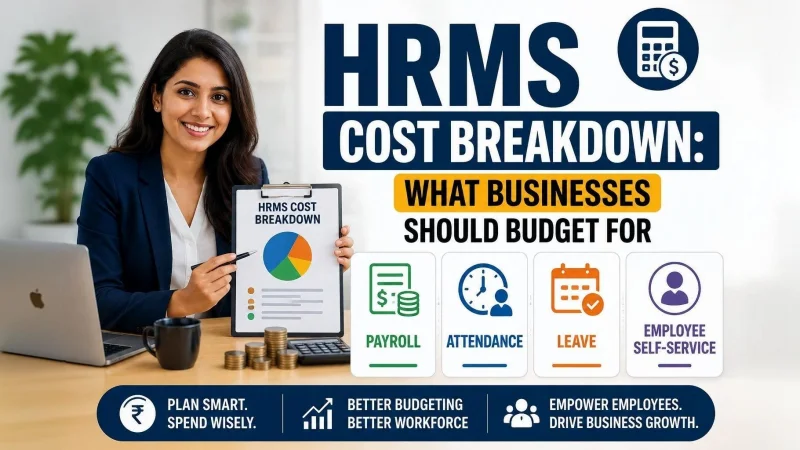
HRMS Cost Breakdown: What Businesses Should Budget for Payroll, Attendance, Leave, and Employee Self-Service Modules
Most HRMS budgets follow the same pattern: a pricing page, a module checklist, and a per-user quote. It feels structured. It isn’t. The real cost of an HRMS isn’t what each module charges — it’s what happens when those modules don’t communicate cleanly. Businesses working with vendors who offer custom HRMS software development consistently report one surprise: the integration layer they never budgeted for ends up costing more than the modules themselves. This post breaks down why modular pricing is a flawed starting point — and what a smarter budget framework looks like.
The Standard HRMS Budgeting Approach — and Why It Fails
Procurement teams typically evaluate Payroll, Attendance, Leave, and ESS as four independent cost items. Each gets a line in the budget, a vendor quote, and a separate sign-off.
SaaS vendors reinforce this behavior with modular pricing pages. Finance teams assess HRMS cost like any SaaS subscription — per user, per feature, per month. IT leaders evaluate modules against individual functional requirements without mapping how data moves between them.
The result is a budget that prices components but ignores the system.
Each module in an HRMS is a node in a data chain, not a standalone tool. Payroll consumes outputs from Attendance. Leave writes records that Attendance must validate. ESS interacts with all three simultaneously. When businesses price modules in isolation, they budget for parts while assuming the assembly is free. The cost of connecting those parts — and managing them when connections fail — is where HRMS budgets quietly collapse.
How the Four Modules Are Operationally Wired Together
The dependency chain runs one way: Leave feeds Attendance, Attendance feeds Payroll, and ESS sits as a write-back layer across all three.
Leave → Attendance: Every approved leave record must reconcile against the daily attendance log. When an approval isn’t reflected in attendance, payroll teams inherit the discrepancy and resolve it manually — every cycle, for every mismatched record.
Attendance → Payroll: Payroll depends entirely on clean attendance data. Shift assignments, overtime flags, late deductions, and absence penalties all originate in Attendance. Misaligned field mapping — different absence codes, date formats, or overtime thresholds — produces payroll errors. Some create compliance risk. All create rework.
ESS as the write-back layer: ESS is not an optional upgrade. It is the interface through which employees interact with all three systems at once. A leave application triggers a Leave record. An attendance regularisation request modifies an Attendance entry. A payslip dispute surfaces a Payroll discrepancy. Treating ESS as an add-on breaks the system’s ability to self-correct.
Consider the failure chain: an employee’s leave goes unapproved. Attendance marks the day absent. Payroll applies a deduction. The employee raises a dispute through ESS. HR investigates manually across three screens — or three vendors. That is an architectural failure, not a process one.
Where the Data Seams Create Cost
The three highest-cost integration points in a disconnected HRMS are:
- Leave-Attendance sync latency: Approvals that don’t reflect in real time create a lag that compounds across pay cycles.
- Attendance-Payroll field mapping mismatches: Incompatible data structures require manual translation or middleware — both carry ongoing cost.
- ESS write-back failures: When employee corrections don’t propagate to source modules, HR absorbs the workload ESS was supposed to eliminate.
None of these appear on a vendor’s pricing page. They are correction labor costs — payroll rework hours, helpdesk tickets, compliance exposure — invisible in any modular pricing comparison.
What Businesses Are Actually Paying for When They Budget Module-by-Module
The “hidden costs” label competitors use is too vague to act on. The real cost categories are specific:
Integration middleware or API development cost. When Payroll and Attendance come from different vendors, connecting them requires middleware or custom API development — neither is a one-time cost. Every policy change can require reconfiguration on both sides of the connector.
Data cleaning and migration overhead. Legacy payroll history rarely maps cleanly to a new attendance system’s structure. Normalising historical records is a project cost most procurement teams discover after signing the contract.
Duplicate workflow cost. When HR teams don’t trust inter-module data, they run manual reconciliation alongside the system. The HRMS runs. So does the spreadsheet. Businesses pay for both.
Support escalation cost. ESS-raised disputes that can’t be resolved within the system force HR to trace issues across module boundaries manually — the more vendors involved, the more expensive that trace becomes.
For SMBs, the problem has a specific shape. Smaller businesses often activate only Payroll at launch and add Leave and Attendance later. The retrofit cost — integrating modules never designed to connect — consistently exceeds what a unified build would have cost upfront. HRMS software developers in India who handle phased deployments flag this as one of the most avoidable overruns in mid-market implementations.
The Right Budgeting Framework — Price the Workflow, Not the Module
The correct unit of budgeting is the workflow, not the module. What does it cost to make the Leave-to-Payroll cycle fully automated, auditable, and error-free?
That reframe produces a three-part structure:
1. Core module licensing or build cost. The figure most businesses already capture — and the smallest source of budget surprise.
2. Integration and data architecture cost. API connectors, field-mapping logic, sync rules, and data validation layers. For mid-size deployments, budget this at 25–40% of core module cost as a defined line item — not a contingency. Custom HRMS software development that builds all four modules on a shared data model eliminates most of this cost because there are no seams to bridge.
3. Operational continuity cost. Leave policies change. Payroll rules are amended. Compliance requirements shift. Each change requires reconfiguration — across one system or four. Businesses that budget only for implementation will fund every subsequent update from operational expense, with no visibility into total cost over three to five years.
A Note on Vendor Selection Through This Lens
One question cuts through vendor evaluations: how exactly does Leave data pass into Payroll, and how does an ESS write-back propagate to the source record?
A unified vendor will describe a single data model with defined field relationships. A bundled vendor will describe sync processes, connector logic, or export schedules. Bundled is not integrated. HRMS software developers in India make this distinction consistently: four modules on one invoice can still carry four-module integration risk without a common data layer.
What a Realistic HRMS Budget Looks Like When You Price for Integration
A ratio-based view is more durable than specific price points:
- Integration overhead should be 25–40% of total module cost for any deployment where modules come from more than one vendor or are activated in phases.
- The Attendance-to-Payroll seam is consistently the most expensive. Budget its integration as a standalone project, not a sub-task.
- ESS adoption cost is almost never included. If employees don’t use the interface — because onboarding was skipped or error rates eroded trust — the manual workload stays. The system cost remains. So does the labor cost.
A well-structured HRMS budget doesn’t price what the modules do. It prices what they deliver together.
Build Smarter: Partner with Arobit for Unified HRMS Development
Disconnected modules create budget debt. Every manual reconciliation cycle, every payroll rework, every ESS dispute HR resolves by hand is a cost that never appeared on the original pricing page.
Arobit’s team of custom HRMS software development specialists builds Payroll, Attendance, Leave, and ESS on a single, unified data architecture. No sync gaps, no middleware costs, no seams where data integrity breaks down. Every module shares a common data layer, so the Leave-to-Payroll workflow runs clean — without manual intervention each cycle.
If your HRMS budget is built around module pricing, it’s missing the largest cost category in your deployment. Arobit’s HRMS software developers in India help businesses reframe that budget before implementation — not after it. Get in touch with Arobit to start with the right architecture from day one.
Frequently Asked Questions
- Why does pricing HRMS modules separately lead to budget overruns?
Each module depends on data produced by the others. When priced independently, the cost of connecting them is rarely captured upfront. Integration middleware, field-mapping work, and sync maintenance add up fast — and that gap is where most HRMS budgets break down.
- What is the most expensive integration point in a disconnected HRMS?
The Attendance-to-Payroll connection. Payroll relies on precise attendance data — shift records, overtime flags, deduction triggers. When these modules don’t share a data structure, every policy change requires reconfiguration on both sides. That is a recurring cost, not a one-time task.
- Can ESS be added later without affecting cost?
No. ESS is a write-back layer touching Leave, Attendance, and Payroll simultaneously. Bolting it on after other modules are live requires rework. Businesses that skip ESS onboarding also retain the manual HR workload it was supposed to eliminate — paying for the system without capturing the efficiency.
- How should SMBs approach HRMS budgeting if they can’t activate all modules at once?
Phased activation is practical, but the data architecture must be unified from day one. Building Payroll on a data model that Leave and Attendance can’t connect to later creates a retrofit cost that consistently exceeds what upfront unified design would have cost. Budget for the full architecture in phase one, even if activation is staggered.
Ti potrebbe interessare:
Segui guruhitech su:
- Google News: bit.ly/gurugooglenews
- Telegram: t.me/guruhitech
- Facebook: facebook.com/guruhitechfb
- Instagram: instagram.com/guruhitech_official/
- X (Twitter): x.com/guruhitech1
- Bluesky: bsky.app/profile/guruhitech.bsky.social
- Rumble: rumble.com/user/guruhitech
- VKontakte: vk.com/guruhitech
- MeWe: mewe.com/i/guruhitech
- Skype: live:.cid.d4cf3836b772da8a
- WhatsApp: bit.ly/whatsappguruhitech
Esprimi il tuo parere!
Ti è stato utile questo articolo? Lascia un commento nell’apposita sezione che trovi più in basso e se ti va, iscriviti alla newsletter.
Per qualsiasi domanda, informazione o assistenza nel mondo della tecnologia, puoi inviare una email all’indirizzo [email protected].
Scopri di più da GuruHiTech
Abbonati per ricevere gli ultimi articoli inviati alla tua e-mail.