
Beyond the Office: The Intersection of Productivity and Play
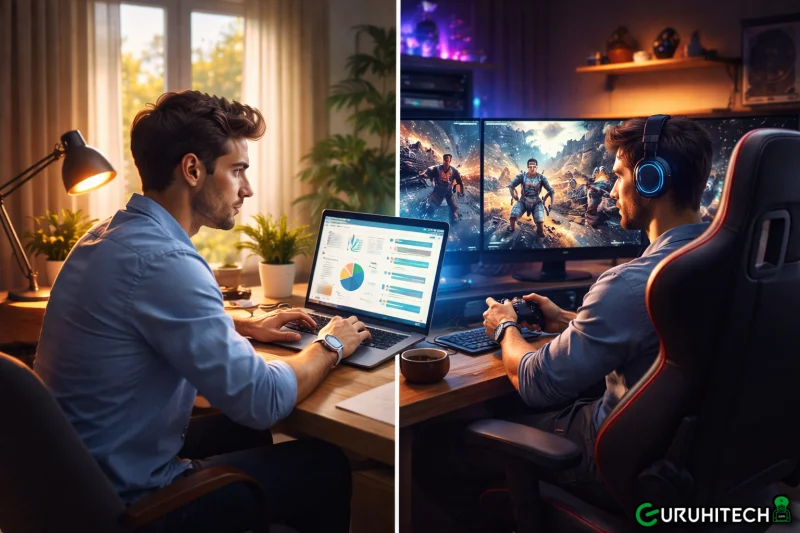
The digital landscape has shifted. We no longer live in a world where a computer is just a tool for spreadsheets and word processing. Today, our devices are gateways to high-end entertainment and complex creative workflows. As we delve deeper into the capabilities of modern connectivity, one specific niche has emerged as the ultimate litmus test for software performance: game streaming.
If you can stream a triple-A gaming title with minimal latency and high-fidelity graphics, you can handle virtually any professional task. The technology required to sync frame rates and input speeds for a competitive gamer is the same technology that allows a video editor to scrub through 4K footage from a remote server without a hitch.
The Convergence of Work and Entertainment
For years, remote access was seen as a “business-only” utility—clunky, laggy, and purely functional. However, the rise of cloud gaming and high-performance remote rendering has forced a revolution. Users now demand a seamless experience that mirrors local hardware performance.
This is where the StarDesk remote desktop solution sets itself apart. By prioritizing low-latency data transmission and high-frame-rate support, it bridges the gap between the professional world and the gaming world. Whether you are accessing a CAD workstation for architectural design or launching a resource-heavy RPG during your break, the underlying engine remains robust and responsive.
Breaking the Hardware Barrier
The most significant advantage of this technological shift is “hardware liberation.” In the past, if you wanted to play the latest games or run intensive simulations, you were tethered to a bulky, expensive tower under your desk. You were limited by the physical components you could afford and fit into a single chassis.
Modern remote solutions change that equation:
- Device Agnosticism: Use a thin client, a five-year-old laptop, or even a tablet to access the power of a high-end GPU.
- Thermal Management: Keep the heat and noise of a powerful PC in a dedicated server room or a basement, while you work and play in a silent, cool environment.
- Portability: Take your entire “gaming rig” or “edit suite” with you to a coffee shop or on a cross-country flight, provided you have a stable internet connection.
The Technical Edge: Latency and Codecs
What makes a remote session feel “real”? It comes down to milliseconds. In the world of professional gaming and high-end content creation, “input lag” is the enemy. If you move your mouse and the cursor reacts a fraction of a second later, the illusion is broken.
Advanced streaming protocols now utilize H.265 and proprietary encoding methods to compress visual data without sacrificing clarity. This allows for a 60 FPS (frames per second) or even 120 FPS experience over standard broadband. This level of optimization ensures that the “hand-eye” coordination required for both precise graphic design and fast-paced gaming remains intact.
Security in the Age of High-Performance Access
As we push the boundaries of what we can do remotely, security remains the foundation. Accessing a powerful machine remotely shouldn’t mean leaving a door open for cyber threats. Secure gateways, end-to-end encryption, and robust authentication protocols are now standard.
When you use a high-performance remote tool, you aren’t just sending a video signal; you are operating within a secure, encrypted tunnel. This is vital for:
- Independent Developers: Protecting source code while working from various locations.
- Corporate Gamers: Ensuring that personal gaming sessions on work-adjacent hardware don’t compromise company networks.
- Creative Studios: Keeping unreleased media assets safe on a central server while allowing remote artists to contribute.
Optimizing Your Remote Environment
To get the most out of a high-performance remote setup, a bit of preparation goes a long way. Even the best software benefits from a optimized local environment.
- Network Prioritization: If you are sharing a home network, use Quality of Service (QoS) settings on your router to prioritize your remote desktop traffic.
- Peripheral Support: Modern remote software now supports passthrough for specialized peripherals—think game controllers, drawing tablets, and multi-button mice. Ensuring these are properly mapped can make the remote experience indistinguishable from a local one.
- Display Settings: Match your remote resolution to your local monitor’s native resolution to avoid scaling artifacts and ensure the crispest text and textures.
The Future: A Unified Digital Experience
We are moving toward a future where “where” your computer is matters less than “how” you access it. The distinction between a “work PC” and a “gaming PC” is blurring as we move toward a unified digital experience accessible from a single pane of glass.
The ability to switch from a high-stakes conference call to a high-definition gaming session on the same interface, powered by the same remote engine, represents the pinnacle of digital convenience. It’s about more than just convenience; it’s about the freedom to choose your environment without sacrificing your capability.
Conclusion
Whether you are a professional looking to streamline your workflow or a hobbyist wanting to take your library on the road, the tools available today are more powerful than ever. By leveraging the latest in remote technology, you can turn any screen into a powerhouse.
The journey from simple screen sharing to real-time, high-fidelity interaction has been short but transformative. As we look ahead, the integration of work, creativity, and play will only grow tighter, fueled by the innovations in the remote access space. Don’t let your hardware define your limits—let your connectivity set you free.
Ti potrebbe interessare:
Segui guruhitech su:
- Google News: bit.ly/gurugooglenews
- Telegram: t.me/guruhitech
- Facebook: facebook.com/guruhitechfb
- Instagram: instagram.com/guruhitech_official/
- X (Twitter): x.com/guruhitech1
- Bluesky: bsky.app/profile/guruhitech.bsky.social
- Rumble: rumble.com/user/guruhitech
- VKontakte: vk.com/guruhitech
- MeWe: mewe.com/i/guruhitech
- Skype: live:.cid.d4cf3836b772da8a
- WhatsApp: bit.ly/whatsappguruhitech
Esprimi il tuo parere!
Ti è stato utile questo articolo? Lascia un commento nell’apposita sezione che trovi più in basso e se ti va, iscriviti alla newsletter.
Per qualsiasi domanda, informazione o assistenza nel mondo della tecnologia, puoi inviare una email all’indirizzo [email protected].
Scopri di più da GuruHiTech
Abbonati per ricevere gli ultimi articoli inviati alla tua e-mail.