
Bind Role And Skills Before OtterMind ai Runs Weekly Reports

Independent consultants and tiny ops desks often ask an agent for a “weekly report” the same way they ask a chat box for a summary. The prompt sounds clear, the result drifts: wrong sources, soft recommendations, and a tone that would never survive a client paste. The miss is not always model quality. It is missing boundaries. OtterMind ai is built around configurable Agents, reusable Skills, and scheduled Automations — which only help if you bind them before you trust a recurring run.
The setup below is for one narrow job: a stable weekly status pack. The pass rule is simple. After you configure Role and Skill bindings, the same task shape should stay usable without rewriting a novel of instructions every cycle. Ottermind is evidence for that workflow, not a tour of every marketplace skill.
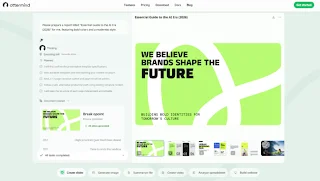
Why A Generic Agent Drifts On Recurring Work
A one-off ask can survive a vague persona. A recurring report cannot. Each week the inputs change slightly — new links, a different spreadsheet cut, a client who hates speculative language — while the output format must stay boringly consistent. If the agent has no Role boundaries and no bound Skills, it improvises. Improvisation looks helpful in preview and expensive in rework.
The consultant’s occupational fear is specific: sending a status note that invents a risk the client never raised, then spending the next call apologizing. That single discard should happen in your draft folder, not in their inbox. The cost shows up as lost hours before the send, not as a dramatic crash: you open the draft, see a confident paragraph that was never in the tracker, and you delete it before anyone else can quote it.
That is why this guide refuses the “one mega-prompt forever” habit. A mega-prompt decays every time the client changes vocabulary. Role and Skill bindings are meant to hold the stable part — tone, exclusions, output shape — so the weekly ask can stay short.
Prepare One Report Shape Before You Touch Automations
Do not start with the scheduler. Start with a task you can defend by hand. If the manual run already invents owners, the calendar will only invent them on schedule.
Lock The Input Pack And Output Shape
Gather a fixed input pack: last week’s status PDF, the current tracker export (.xlsx or .csv), and any meeting transcript you actually trust. In Tasks, create a New Task, state the objective in plain language, and upload the files with + or drag-and-drop. Supported uploads also cover Word (.docx) and common image types if your pack includes screenshots of a board — but prefer the tracker file over a blurry capture when numbers matter.
Ask for Markdown output, source links kept, and a final list of items that need human attention. Pin the good task so it stays at the top of the list; use Search later when you need the historical run without scrolling.

Run Once And Kill Soft Misses Early
Run the task once while you watch. Put the draft beside the tracker and check two observables only: invented owners, and dates that never appeared in the source. If either shows up, scrap that version, tighten the instruction, and rerun before you automate anything. The discard belongs in your folder, not in a client thread.
Create An Agent With Role Boundaries And Skills
In the Agents area, click New Agent. Fill Name, Description, Default model, and Role, then add Skills as needed. Default model is required because it affects speed, cost, and capability limits. Role is where most people underwrite: it should say who the agent is, how it works, and what it must not do.
Write Role Limits That Survive Client Paste
A usable Role for this job sounds like product documentation, not a costume: prioritize concise, verifiable status language; do not invent unconfirmed risks; never invent owners. A weak Role says only “you are a helpful assistant.” OtterMind documents that split clearly — and it is the difference between a reusable work role and a chat persona.
Bind Only The Skills The Report Needs
Skills are reusable capability packages: instructions, workflows, and tool context for a task type. Install from Marketplace, upload a ZIP or UTF-8 SKILL.md, or import from a URL that points at the file itself — not a random webpage. Then open Bindings. A Skill does not apply to every agent after install; only bound agents can use it. After binding, you give the task to the agent and let it decide whether the Skill applies. If the Skill is unbound, that capability is simply unavailable.
For a weekly report, bind only what the job needs. Extra Skills widen improvisation. Check source, version, and update time before install; downloads and stars are not a safety proof.
Schedule The Proven Task And Watch Status Codes
When the manual run is stable, open Automations and click New automation. Choose the Agent and Device, write what the automation should do, then set run mode and end rule. Run modes include Recurring, Interval, and One-time. Write the instruction with goal, inputs, output format, and explicit “must not” lines. Confirm time zone against your client cadence. A good instruction names the sources, the Markdown shape, and the human-attention footer; a bad one says only “check what is new.”
Starts can wait for the next scheduled trigger or begin immediately, depending on how you set the rule. After creation, check Last run and Next run in the list so you are not guessing whether the job armed. Filter by Active, Running, Paused, or Error. If status hits Error, fix configuration or inputs before you trust the next fire. Ottermind’s automation model is for clear schedules and stable input sources — not for highly ad hoc judgment calls or sensitive data with unclear permissions.
Read the sequence as a gate list, not a menu:
- Manual Task + uploads — lock the input pack and output shape; fail on invented owners or metrics.
- Agent Role — lock boundaries and tone; fail on speculative risk language.
- Skill binding — lock available capabilities; fail when the agent lacks a needed Skill.
- Automation schedule — lock cadence and end rule; fail on Error status or wrong timezone.
Skipping a gate is how “set and forget” becomes “fix and apologize.”
Where This Setup Still Needs A Human Gate
Automations are the wrong tool when inputs are chaotic, permissions are unclear, or the week’s call needs real judgment. Keep a human gate on anything client-facing: skim the attention list, discard soft misses, then send. Skills with unclear source or sensitive-data needs that cannot be reviewed should stay out of the binding list. If an Error status repeats after you fixed the timezone, pause the automation and return to the manual Task until the input pack is boring again.
So if you only need a single clever paragraph, stay in chat. If you need the same status shape every week, configure one Ottermind agent with a strict Role, bind the few Skills that support that shape, prove the manual task, then schedule it. Measure success as fewer discarded drafts and less rework on the night before a client send — not as a longer agent roster. Count the discards for two cycles; if the pile does not shrink, fix Role and bindings before you add another automation. One carefully bound agent that survives three clean weekly cycles beats five unbound agents that each need a rescue edit.
Ti potrebbe interessare:
Segui guruhitech su:
- Google News: bit.ly/gurugooglenews
- Telegram: t.me/guruhitech
- Facebook: facebook.com/guruhitechfb
- Instagram: instagram.com/guruhitech_official/
- X (Twitter): x.com/guruhitech1
- Bluesky: bsky.app/profile/guruhitech.bsky.social
- Rumble: rumble.com/user/guruhitech
- VKontakte: vk.com/guruhitech
- MeWe: mewe.com/i/guruhitech
- Skype: live:.cid.d4cf3836b772da8a
- WhatsApp: bit.ly/whatsappguruhitech
Esprimi il tuo parere!
Ti è stato utile questo articolo? Lascia un commento nell’apposita sezione che trovi più in basso e se ti va, iscriviti alla newsletter.
Per qualsiasi domanda, informazione o assistenza nel mondo della tecnologia, puoi inviare una email all’indirizzo [email protected].
Scopri di più da GuruHiTech
Abbonati per ricevere gli ultimi articoli inviati alla tua e-mail.