
The Complete Guide For PC Optimization in 2026
Is your computer starting to feel like a relic of the past? Over time, even the most powerful systems can become bogged down by digital clutter, unexpected lag, and sluggish boot times. If you are constantly staring at a spinning loading wheel, it is time for a serious intervention.
Enter WMaster Cleanup—a robust, all-in-one PC cleaner and Windows system optimizer designed to breathe new life into your desktop or laptop. It’s a handy tool that works well with Windows 7, 8, 10, and 11. WMaster Cleanup cleans junk from your computer and gets it running at its best again, whether you’re a professional using a new computer to do heavy work or a casual user trying to keep an older computer running smoothly.
The User Interface of WMaster Cleanup Sleek, Modern & Beginner-Friendly
One of the most impressive things about WMaster Cleanup is its user interface (UI). Software utilities often look complex and intimidating and full of confusing technical jargon. WMaster Cleanup does things differently.
The UI boasts a modern, streamlined dashboard with a strong focus on accessibility. Navigation is easy, with basic utilities organized and available from a single menu.
Because everything is clearly labeled and visually organized, you can use this tool across any supported Windows version and optimize your system confidently—no need to be a techie.
Core Features of WMaster Cleanup
This software is packed with specialized tools targeting every corner of your storage and operating system. Here is a breakdown of its core features:
Clean C Drive
The C drive is the heart of your operating system and often runs out of space first. This feature specifically targets non-essential Windows installation files, temporary setups, and system dump files, safely carving out GBs of free space where you need it most.
Clear Cache
Applications constantly generate cache files to load faster, but they rarely clean up after themselves. The cache cleaner sweeps away obsolete temporary application data, refreshing your system environment and resolving software conflicts.
Disk Cleanup
A comprehensive deep-scan utility that scours your entire hard drive or SSD. It isolates redundant system data, error logs, and residual software remnants that standard uninstalls leave behind.
Find Large Files
High-definition videos, forgotten zip archives, and massive installers often hide deep within your directories. So, whether you want to find large files on Windows 11 or 10, the Big File Finder feature by WMaster Cleanup can safely identify and clean them to free up valuable device space. If you don’t want to delete your large files permanently, you can use the Move Big File feature to move them from your C drive to other disks.
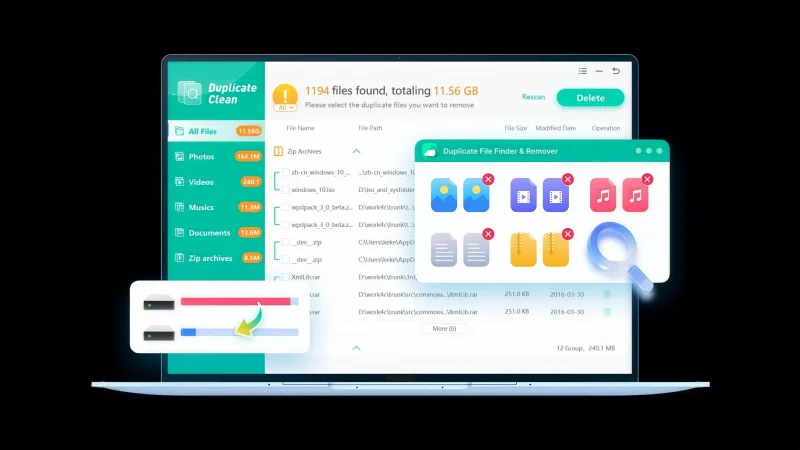
Duplicate File Remover
Accidentally downloading the same document, photo, or song multiple times wastes valuable disk space. This feature runs a precise comparison algorithm to find identical files across your directories, allowing you to delete the clones safely in seconds. Unlike other duplicate removers, this amazing tool also identifies near-identical images even if filenames and modification dates differ.
Uninstall Applications
The default Windows uninstaller often leaves behind stubborn registry keys and hidden folders. WMaster Cleanup’s advanced uninstall application feature forcefully removes applications along with every single trace of associated junk data, ensuring a truly clean slate.
Clear Browser History
Protect your digital privacy and speed up your web browsing. This tool clears tracking cookies, cached images, and browsing histories across all major web browsers simultaneously, preventing websites from tracking your habits.
Game Booster (One-click to improve FPS and gaming performance)
A premium addition designed explicitly for the gaming community. This specialized module instantly optimizes your PC configuration for gaming environments.
- For Gamers: It dynamically manages system priorities to give your games maximum hardware access, making it a must-have tool for enthusiast gamers.
- Performance Metrics: It actively improves frames per second (FPS), dramatically reduces input lag, and stabilizes network ping.
- How it Works: With a single click, it temporarily disables unnecessary background activities and services, channeling 100% of your CPU and RAM capacity into enhancing the quality of your gaming experience.
Pros and Cons
To give you an honest perspective, here is what makes this software excel, along with a few limitations to keep in mind:
| Pros | Cons |
| Highly intuitive, user-friendly dashboard | Currently exclusive to the Windows ecosystem |
| Excellent Game Booster that noticeably lowers ping and lag | Deep scans on massive hard drives may take a few minutes |
| All-in-one suite to optimize your Windows PC | |
| Lightweight installation with minimal background resource usage |
How to Use W Master Clean Up for PC Optimization
If you utilize WMaster Cleanup to optimize your PC in 2026, you won’t need to spend hours manually tuning. With just a few clicks, your machine will be as good as new. Just do these easy steps:
Step 1: Download and Install
You can only get WMaster Cleanup from the official website. Then, follow the quick setup guide that appears on the screen.
Step 2: Pick Out Your Tool
Start up the program and head to the main dashboard. Now, click on the cleaning or optimization tool you want to use, like Disk Clean Up or Game Booster.
Step 3: Start the scan
When you click the “Scan Now” button, the program will proceed to look at your system files or background processes without any harm.
Step 4: Clean and Optimize
Look over the scan results, check or uncheck your preferred optimization options, and click Clean.
That is all it takes!
Within a few moments, your PC is fully optimized, refreshed, and ready to perform at its true potential.
Conclusion
WMaster Cleanup is a very reliable and easy-to-use Windows cleaner and optimizer tool in 2026 for anyone who is having trouble with a computer that isn’t working well. It cleans your C drive and removes duplicate files, and it has a powerful Game Booster so it can be used on all major Windows platforms as a normal PC cleaner and as an advanced system booster.
WMaster Cleanup is really a gem if you want to enjoy fast, clean Windows without having to deal with complicated settings.
Scopri di più da GuruHiTech
Abbonati per ricevere gli ultimi articoli inviati alla tua e-mail.