
What is Imagetotextconverter.net – A Detailed Review
Often, images contain useful information. It may be a scanned document, a screenshot, a book page, or a photo of notes. But copying text from these images by hand can take a lot of time.
Imagetotextconverter.net solves this problem. It identifies the text in images and turns it into editable content. The tool also supports PDFs and several common image formats.
But is it worth using? Let’s take a closer look.
What Is Image to Text Converter?
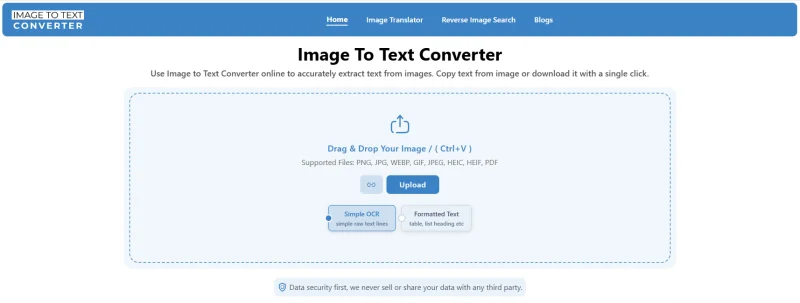
Imagetotextconverter.net (Image to Text Converter) is a web-based OCR tool that helps extract text from images. The website says it uses AI-driven OCR technology to identify text in provided images or PDF files. It then processes and extracts the identified text from the images. The tool then organizes the extracted text and presents a results page that users can copy and download.
Imagetotextconverter.net offers several useful features for everyday OCR tasks.
| Feature | Details |
| PDF support | Extracts text from PDF files |
| Bulk conversion | Processes up to 5 images at once |
| OCR modes | Simple and formatted OCR |
| Input options | Upload, drag and drop, paste, or URL |
| Download options | PDF, DOCX, TXT, HTML, and Markdown |
| Image formats | PNG, JPG, JPEG, GIF, HEIC, HEIF, and WebP |
| Handwriting | Supports handwritten notes |
The website also claims that the tool can handle low-resolution, slightly distorted, and blurred images.
How Does Image to Text Converter Work?
Using Image to Text Converter is simple and much like other online OCR tools. To extract text from an image using this tool, you just need to follow the following three steps.
1. Add Images
The very first step is to add your images into the tool. Image to Text Converter offers several ways to add images to the tool.
Users can:
- Upload images manually
- Paste the images directly into the tool
- Drop images inside the input box
- Insert the public URL of an image
The tool accepts input images in various modern image file formats such as PNG, JPG, WEBP, GIF, JPEG, HEIC, and HEIF. The tool also accepts PDF files to make the text editable.
As for limits, the tool supports a 4MB size for each individual file. Most importantly, the tool supports bulk conversion and accepts 5 image submissions in a single run.
2. Choose the OCR Type
Image to Text Converter offers two options:
- Simple OCR: Gives you plain text.
- Formatted OCR: Keeps headings, lists, tables, and other text structure.
After selecting the OCR type, click the ‘Convert to Text’ button and let the tool complete the process.
3. Copy or Download the Text
After processing the provided images, the tool shows the extracted text in the output box. From there, you can copy the text to the clipboard for each image by clicking the icon next to it.
You can also download the result in formats such as PDF, DOCX, and TXT. For formatted OCR, you get two additional download options: HTML and Markdown.
How Good is ImagetoTextConverter.net?
So far, we know that imagetotextconverter.net offers both simple and formatted OCR and also supports bulk image to text conversion. But how efficient is this OCR tool at turning images into digital text?
Let’s test this out.
Testing ImagetoTextConverter.net
To test the image text conversion efficiency of imagetotextconverter.net, we are adding some resume images to the tool. These images contain a mix of handwritten and digitally printed text, including numbers and letters.
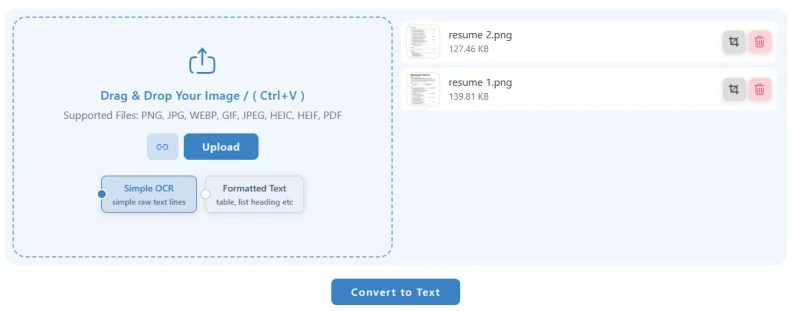
After uploading images, we are initiating the process with formatted OCR to test the tool to its full capacity.
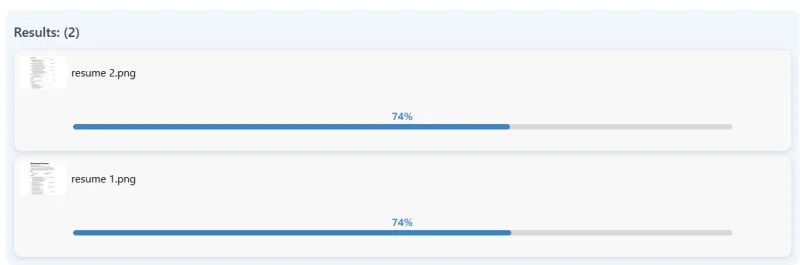
The following screenshot shows the results we received.
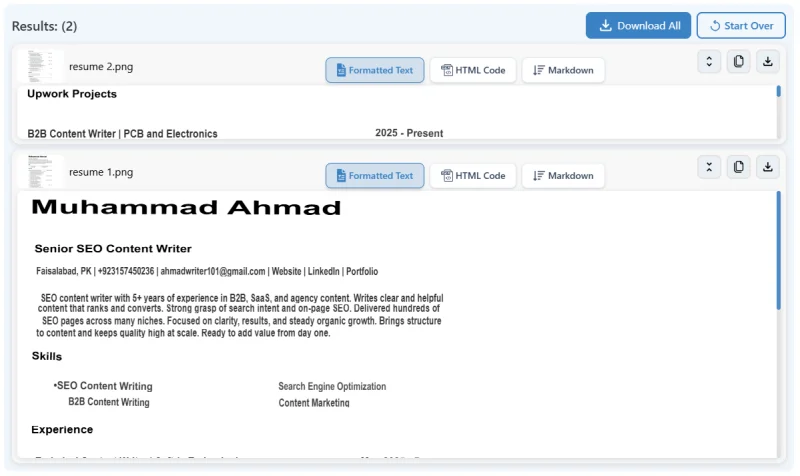
The tool has extracted text while keeping most of the formatting intact.
Output Quality
To provide you with a better preview of results we have downloaded the results as a PDF, and here’s what that looks like:
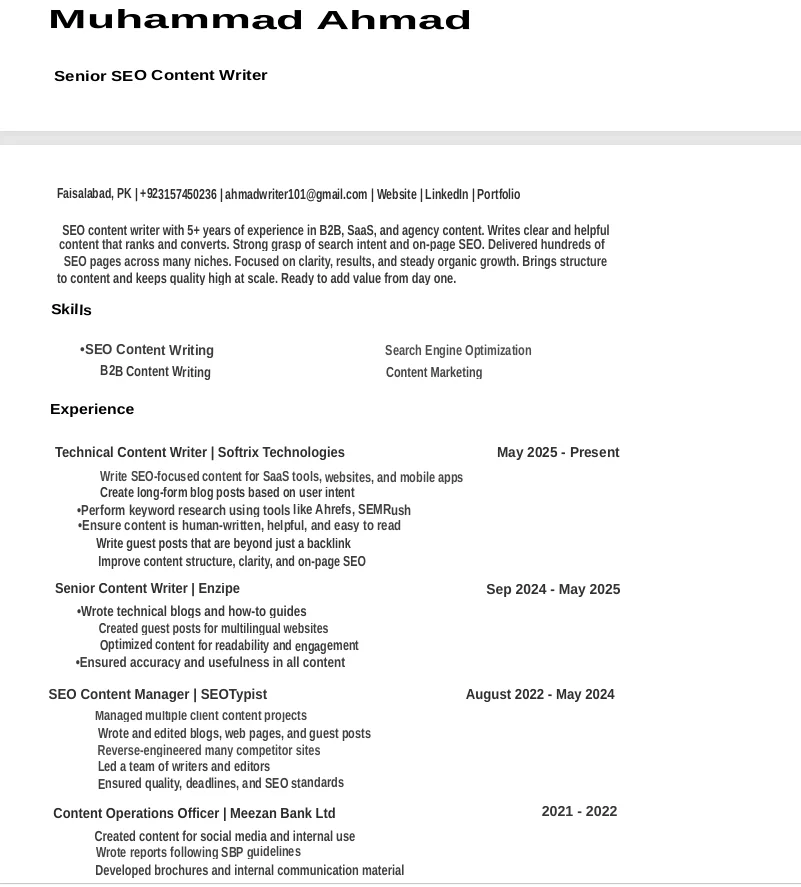
The output quality is quite good. Image to Text Converter extracted almost all the text from the resume and kept most of the original formatting. It correctly preserved the main headings, job titles, dates, paragraphs, and overall layout.
The tool also handled different text sizes and sections well. Most of the content appeared in the right order, which made the extracted document easy to read and edit.
However, the output still needs some small adjustments. For example, the tool missed a few bullet points and created some minor spacing issues in certain sections. These issues are easy to fix with a quick manual review.
Is Imagetotextconverter.net Free?
According to the website, the image-to-text converter is free to use and does not have a daily usage cap. It says users can use the tool 24/7 without a set daily limit.
This makes it a useful choice for people who only need basic OCR without paying for expensive software.
However, users should always check the current website before relying on pricing or usage limits, as online tools can change their plans over time.
Bottom Line
Imagetotextconverter.net is a simple and useful OCR tool for turning images into editable text. It supports many image formats, PDF files, bulk conversion, and both simple and formatted OCR. Our test also showed that it can extract text with good accuracy while keeping most of the original format. The tool may still need a few manual fixes, but these are usually minor.
Ti potrebbe interessare:
Segui guruhitech su:
- Google News: bit.ly/gurugooglenews
- Telegram: t.me/guruhitech
- Facebook: facebook.com/guruhitechfb
- Instagram: instagram.com/guruhitech_official/
- X (Twitter): x.com/guruhitech1
- Bluesky: bsky.app/profile/guruhitech.bsky.social
- Rumble: rumble.com/user/guruhitech
- VKontakte: vk.com/guruhitech
- MeWe: mewe.com/i/guruhitech
- Skype: live:.cid.d4cf3836b772da8a
- WhatsApp: bit.ly/whatsappguruhitech
Esprimi il tuo parere!
Ti è stato utile questo articolo? Lascia un commento nell’apposita sezione che trovi più in basso e se ti va, iscriviti alla newsletter.
Per qualsiasi domanda, informazione o assistenza nel mondo della tecnologia, puoi inviare una email all’indirizzo [email protected].
Scopri di più da GuruHiTech
Abbonati per ricevere gli ultimi articoli inviati alla tua e-mail.