
Why Is StelsVPN Worth Considering for Multi-Device Privacy in 2026?
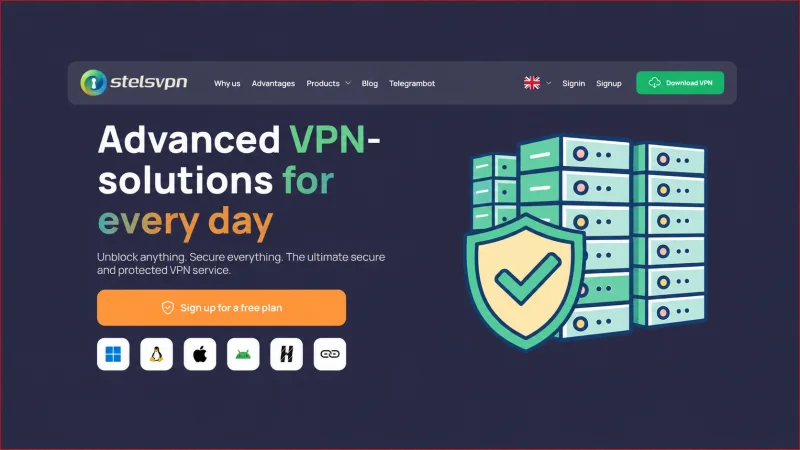
The most useful VPN is the one that people actually enable on every device that needs protection. StelsVPN tries to reduce that friction with support for Windows, macOS, Linux, iOS, Android, Chrome, Opera, and Mozilla-based browsers, plus a stated limit of up to 10 devices on one account.
The official website also lists more than 700 servers in 12 countries, unlimited traffic, DNS and IP leak protection, kill switch technology, OpenVPN and IKEv2 protocols, 24/7 support, and a seven-day money-back guarantee. On paper, this covers the core requirements for an everyday consumer VPN.
A responsible review must go beyond the checklist. “VPN enabled” does not automatically mean every application is protected, every leak is blocked, or every streaming service works. This article explains where the published offer looks useful and what a careful user should verify during the trial or refund period.
How This Review Was Prepared
The StelsVPN official website, product platform list, feature summaries, server information, protocol list, device limit, support claims, and guarantee language were reviewed on July 29, 2026.
No paid account, packet capture, independent speed benchmark, streaming-access test, or legal audit was performed for this editorial review. Privacy and performance claims should be validated with the current apps and policy documents.
Multi-Device Coverage Is the Main Practical Advantage
Ten device slots are valuable only when the apps are reliable and the household knows which devices are protected.
A single user can easily own a work laptop, personal laptop, phone, tablet, smart television, and router. A family can exceed that number quickly. StelsVPN’s published allowance of up to 10 devices gives users room to protect several endpoints without buying a separate subscription for each one.
Platform coverage is broad: Windows, macOS, Linux, iOS, Android, and extensions for Chrome, Opera, and Mozilla. Browser extensions may protect only browser traffic, while a full operating-system client is intended to route more of the device’s traffic. Users should understand the difference and avoid assuming that an extension protects unrelated applications.
Security Features and Protocol Choice
The official site lists OpenVPN, IKEv2, and PPTP support, along with 256-bit encryption language, DNS/IP leak protection, and kill switch technology. OpenVPN and IKEv2 are the more relevant modern choices for most users. PPTP is an older protocol and should generally not be selected for sensitive use when stronger options are available.
A kill switch is designed to block traffic if the VPN tunnel drops. DNS and IP leak protection aim to prevent requests from escaping through the normal connection. These features are essential, but their presence on a feature page is not enough. They should be tested on every operating system because implementation can differ between apps.
Server Network and Performance Claims
StelsVPN states that it operates more than 700 servers in 12 countries and that each server has bandwidth of 10 Gb/s. The website also displays a broader list of country names in its network section. Because the page presents more than one network description, buyers should rely on the live application or dashboard for current country and city availability.
Server count alone does not predict speed. Distance, routing, server load, local ISP quality, protocol, device performance, and the destination website all affect results. The best approach is to test nearby and distant servers at the times of day when the connection will actually be used.
Public Wi-Fi and Everyday Privacy
A VPN is most clearly useful on untrusted networks such as cafés, airports, hotels, and shared workspaces. It encrypts traffic between the device and the VPN server, reducing exposure to local network observers. It does not make unsafe websites safe, remove malware, or protect a user who voluntarily enters credentials into a phishing page.
For daily use, automatic connection on unknown Wi-Fi, a functioning kill switch, and reliable reconnection are more important than a one-time headline speed result. Users should test sleep/wake behavior, switching between Wi-Fi and mobile data, and recovery after a network interruption.
Who Should Consider StelsVPN
- Users who want one account for several desktop and mobile devices.
- Travelers who regularly connect through hotel, airport, café, or coworking Wi-Fi.
- Households that need basic VPN coverage without managing separate subscriptions.
- Users who want OpenVPN or IKEv2 and value a published money-back period.
- People who are willing to test leak protection, speed, and server availability before relying on the service.
Strengths and Tradeoffs
| Area | What looks strong | What to verify before buying |
| Device coverage | Up to 10 devices and broad operating-system support. | Confirm how simultaneous connections are counted and whether router use consumes a slot. |
| Core protection | Kill switch plus DNS and IP leak protection are listed. | Test each platform independently under connection failure. |
| Protocols | OpenVPN and IKEv2 are suitable mainstream choices. | Avoid relying on legacy PPTP for sensitive traffic. |
| Trial risk | Free plan language and seven-day money-back guarantee reduce purchase risk. | Read current eligibility, payment, and refund conditions before subscribing. |
Practical Evaluation Checklist
Use the refund or trial window as a structured acceptance period. Test the exact devices and networks that matter rather than relying on one desktop speed test.
- Install the official app on each required operating system and confirm that the application source is authentic.
- Record the visible public IP and DNS servers before and after connection.
- Test IPv4, IPv6, DNS, and WebRTC leaks in the browser.
- Force a tunnel interruption and verify that the kill switch prevents traffic from using the normal connection.
- Measure nearby and distant servers on Wi-Fi and mobile data at several times of day.
- Check reconnection after sleep, device restart, network switching, and temporary signal loss.
- Read the privacy policy, service rules, refund terms, and account/device limits before the guarantee expires.
Final Verdict
StelsVPN has a feature set that could work well for ordinary multi-device privacy: broad platform support, ten device slots, established protocols, leak protection, a kill switch, unlimited traffic, and a published refund period. Those are the right categories for a practical consumer VPN.
The decisive factor is implementation. A buyer should use the first days to verify leaks, kill-switch behavior, speed, reconnection, server availability, and policy terms on every important device. If the apps perform consistently in that test, StelsVPN may be a convenient single-account solution. If any device fails the leak or reliability checks, the user should not assume the other platforms behave the same way.
Before ordering, review the latest plans, locations, and service rules directly on the StelsVPN official website.
Ti potrebbe interessare:
Segui guruhitech su:
- Google News: bit.ly/gurugooglenews
- Telegram: t.me/guruhitech
- Facebook: facebook.com/guruhitechfb
- Instagram: instagram.com/guruhitech_official/
- X (Twitter): x.com/guruhitech1
- Bluesky: bsky.app/profile/guruhitech.bsky.social
- Rumble: rumble.com/user/guruhitech
- VKontakte: vk.com/guruhitech
- MeWe: mewe.com/i/guruhitech
- Skype: live:.cid.d4cf3836b772da8a
- WhatsApp: bit.ly/whatsappguruhitech
Esprimi il tuo parere!
Ti è stato utile questo articolo? Lascia un commento nell’apposita sezione che trovi più in basso e se ti va, iscriviti alla newsletter.
Per qualsiasi domanda, informazione o assistenza nel mondo della tecnologia, puoi inviare una email all’indirizzo [email protected].
Scopri di più da GuruHiTech
Abbonati per ricevere gli ultimi articoli inviati alla tua e-mail.