
How GPU memory (VRAM) impacts AI model training
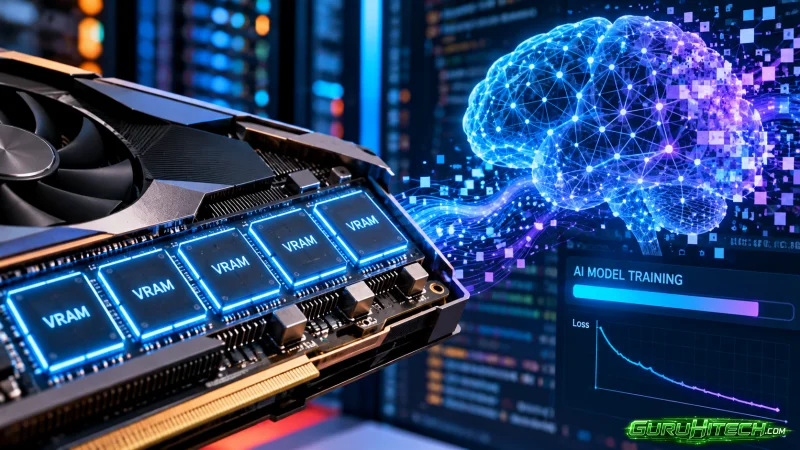
Training an AI model puts heavy pressure on GPU memory. The GPU has to hold the model, training data, and temporary information created during each step.
That makes VRAM one of the first specifications to check before choosing hardware.
More VRAM gives a training job room for larger models, bigger batches, and longer input sequences. The right amount depends on the model and training setup.
What is VRAM in AI training?
VRAM stands for video random access memory. It is the memory built into the GPU.
During training, VRAM stores several types of data at the same time:
- Model weights
- Training inputs
- Activations
- Gradients
- Optimizer states
- Temporary buffers
Each part takes up memory. The final requirement depends on the complete training workload.
Useful factors include model size, batch size, sequence length, precision, optimizer choice, and the number of trainable parameters.
How does model size affect VRAM use?
Larger models contain more parameters. Those parameters need space in GPU memory while training runs.
Training also creates extra data during the forward and backward passes. Activations, gradients, and optimizer states add to the total memory requirement.
A model file may look manageable while the full training job uses much more VRAM.
Teams can run a small test before a larger training job and record peak memory use. This gives a realistic view of how close the workload comes to the GPU memory limit.
Why does batch size increase VRAM use?
Batch size controls how many training examples the GPU processes together.
A larger batch holds more data and intermediate information in memory. It can also improve GPU utilization when enough memory is available.
- Smaller batches: Use less memory and can fit more easily on a smaller GPU.
- Larger batches: Use more memory and can increase throughput for suitable workloads.
Teams can test several batch sizes and compare VRAM use, training speed, and model performance.
This helps find a setting that fits the available memory while keeping training efficient.
How does sequence length affect GPU memory?
Sequence length matters for models that process text, audio, code, or other ordered data.
Longer sequences create more information for the model to process during each training step. That increases the amount of temporary data stored in VRAM.
For language models, context length can have a major effect on memory requirements.
Teams working with long documents or conversations should measure:
- Peak VRAM use
- Tokens processed per batch
- Training step time
- Maximum stable sequence length
These measurements show how memory demand changes as input size grows.
What else uses VRAM during model training?
Several parts of the training process share the same GPU memory pool.
- Model weights: Store the values learned by the model.
- Activations: Hold intermediate results created during processing.
- Gradients: Store information used to update model parameters.
- Optimizer states: Keep additional values used by the selected optimizer.
- Training inputs: Hold the current batch of examples and labels.
The combined size of these components determines the practical VRAM requirement.
How does training precision affect VRAM?
AI models can use different numerical formats during training.
Common formats include FP32, FP16, BF16, and FP8. Lower-precision formats use fewer bits per value and can reduce memory requirements on compatible hardware.
This can create room for:
- Larger batches
- Longer sequences
- Bigger models
- More training data in memory
The right precision depends on the model, framework, GPU, and training goal.
Teams should test model quality and training stability alongside memory use.
Where does the L4 GPU fit into AI training?
The NVIDIA L4 provides 24GB of GDDR6 GPU memory. That capacity can support smaller training jobs, fine-tuning, computer vision, speech workloads, generative media, and AI development.
Teams evaluating L4 GPU VRAM can compare the 24GB memory pool with peak memory use from a real training run.
The L4 can suit:
- Smaller model training
- Fine-tuning
- Computer vision
- Speech models
- Generative image workloads
- Development and experimentation
Larger training jobs can use higher-memory GPUs or multi-GPU configurations.
How can teams reduce VRAM use during training?
Training frameworks offer several techniques for managing memory.
- Gradient accumulation: Processes smaller batches over multiple steps, creating a larger effective batch.
- Mixed precision: Uses lower precision formats for compatible parts of training.
- Gradient checkpointing: Stores fewer activations and recalculates selected values when needed.
- Parameter-efficient fine-tuning: Updates a smaller portion of model parameters.
- Model sharding: Splits model data across multiple GPUs.
Each technique affects memory use, training time, or infrastructure complexity. Testing helps teams choose the right combination.
When should teams use multiple GPUs for training?
Multi-GPU training becomes useful as memory and compute requirements grow.
A workload can split model data or training work across several GPUs. This provides access to more total memory and processing capacity.
Planning should include:
- Memory available per GPU
- Number of GPUs
- Communication between GPUs
- Framework support
- Training duration
- Total compute cost
A smaller test run can help estimate how the workload will scale across several GPUs.
What should teams measure before choosing a training GPU?
A useful benchmark should use the real model and realistic training settings.
- Peak VRAM use: Record the highest memory use during training.
- Batch size: Find a stable batch size for the available memory.
- Sequence length: Test the input size expected in the real workload.
- Training speed: Measure step time or samples processed per second.
- GPU utilization: Check how much processing capacity the job uses.
- Total cost: Compare training duration with the cost of the GPU configuration.
These figures provide a practical basis for comparing GPU options.
How should teams plan VRAM for future AI workloads?
AI projects can grow over time. Models may become larger, datasets may expand, and longer context windows may enter the training plan.
Teams can plan for larger models, bigger datasets, higher batch sizes, longer sequences, and more frequent fine-tuning.
Some additional memory capacity can also give teams more room for future experiments.
Conclusion
VRAM plays a central role in AI model training.
It stores model weights, activations, gradients, optimizer data, and training inputs. Model size, batch size, sequence length, precision, and training method all influence the final memory requirement.
The clearest approach is to test the actual training setup and measure peak VRAM use. That gives teams a solid basis for choosing a GPU and planning future capacity.
Frequently asked questions
What is VRAM used for during AI training?
VRAM stores model weights, training inputs, activations, gradients, optimizer states, and temporary data used during training.
Does a larger batch size use more VRAM?
Yes. Larger batches hold more training examples and intermediate data during each training step.
How much VRAM does the NVIDIA L4 have?
The NVIDIA L4 has 24GB of GDDR6 GPU memory.
Can lower precision reduce VRAM use?
Yes. Formats such as FP16, BF16, and FP8 can reduce memory use on compatible models and hardware.
When should AI training use multiple GPUs?
Multiple GPUs can support workloads that need more total memory or processing capacity for larger training jobs.
Ti potrebbe interessare:
Segui guruhitech su:
- Google News: bit.ly/gurugooglenews
- Telegram: t.me/guruhitech
- Facebook: facebook.com/guruhitechfb
- Instagram: instagram.com/guruhitech_official/
- X (Twitter): x.com/guruhitech1
- Bluesky: bsky.app/profile/guruhitech.bsky.social
- Rumble: rumble.com/user/guruhitech
- VKontakte: vk.com/guruhitech
- MeWe: mewe.com/i/guruhitech
- Skype: live:.cid.d4cf3836b772da8a
- WhatsApp: bit.ly/whatsappguruhitech
Esprimi il tuo parere!
Ti è stato utile questo articolo? Lascia un commento nell’apposita sezione che trovi più in basso e se ti va, iscriviti alla newsletter.
Per qualsiasi domanda, informazione o assistenza nel mondo della tecnologia, puoi inviare una email all’indirizzo [email protected].
Scopri di più da GuruHiTech
Abbonati per ricevere gli ultimi articoli inviati alla tua e-mail.